Virtual patient cases to sharpen critical thinking. Robust evaluation tools to evaluate students and help improve clinical competence.
CCX can also be used with standardized patients.
The CCX Software Suite uses simulated clinical encounters and a set of integrated software tools to capture evidence of examinees’ critical thinking and clinical reasoning skills. Whether used with standardized patients, “paper” or video cases, or virtual patients, CCX captures evidence of the examinees’ clinical practice skills.
The CCX Suite of software programs equip faculty to create, deliver, and evaluate performance-based exams to medical trainees.
Set the Standard
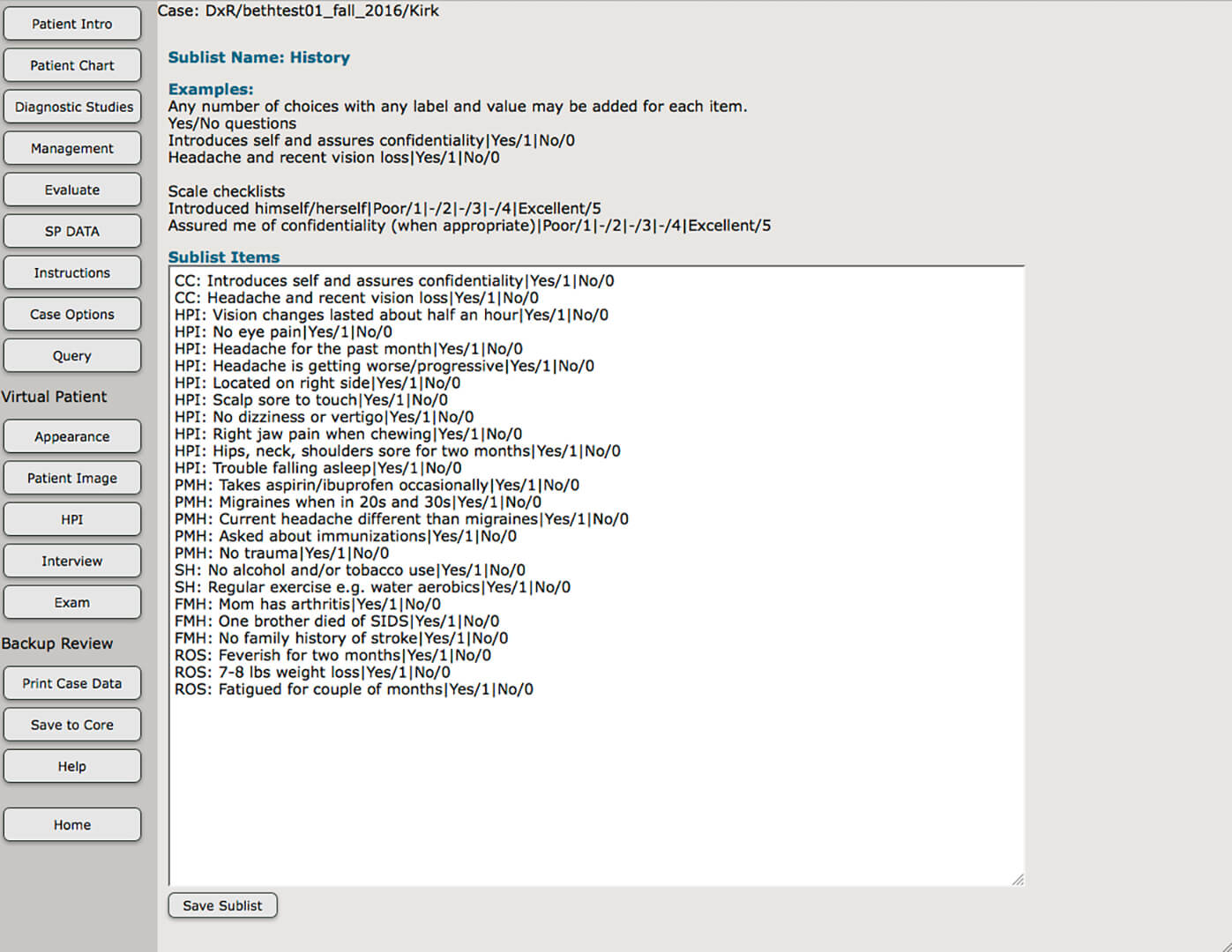
The Criteria and Performance Utility allows faculty to quickly and easily develop the key for the CCX exam and supplement cases with strategically placed content-knowledge questions.
Deliver the Challenge
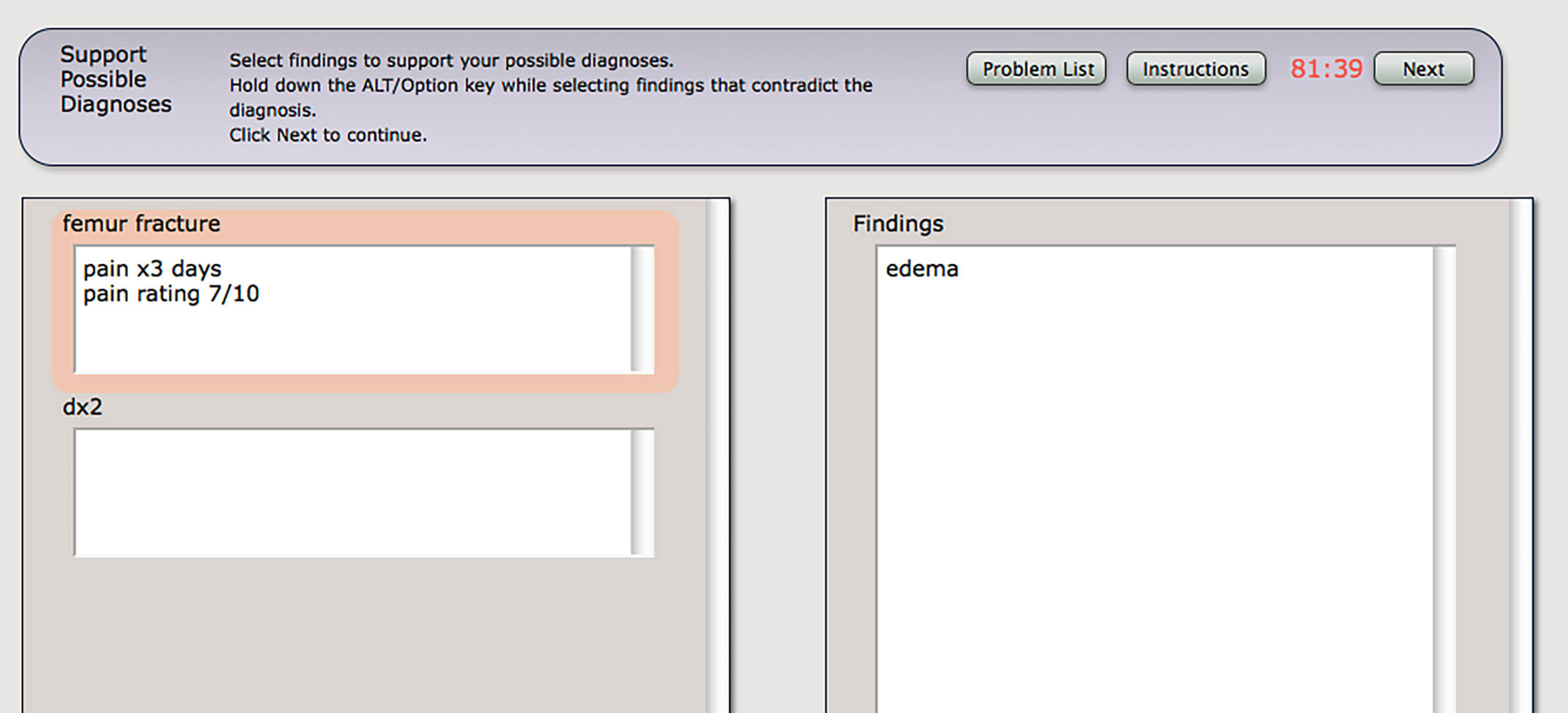
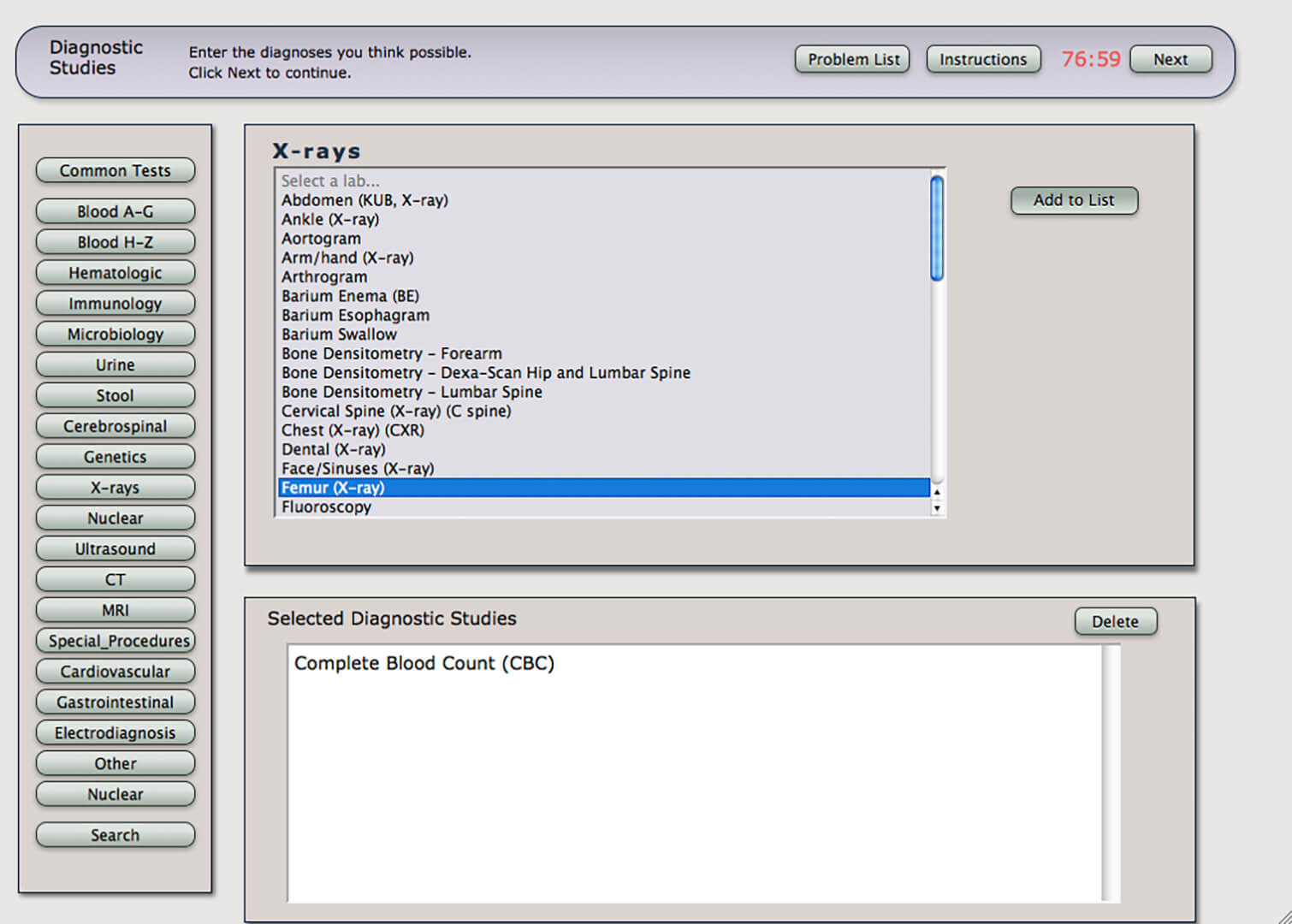
In the CCX Exam, examinees document the key data from the clinical work-up. The CCX Exam provides a simple, intuitive template for users to identify patient findings, list patient problems, create a differential, order labs, justify lab requests, interpret lab results, enter final diagnoses, create management plans, and answer content-knowledge questions.
Capture SP Feedback
The Standardized Patient Utility is an optional program that allows instructors to create checklists to capture standardized patient satisfaction feedback, and to assess users’ success in conducting the patient interview and/or physical exam.
Review and Analyze Results
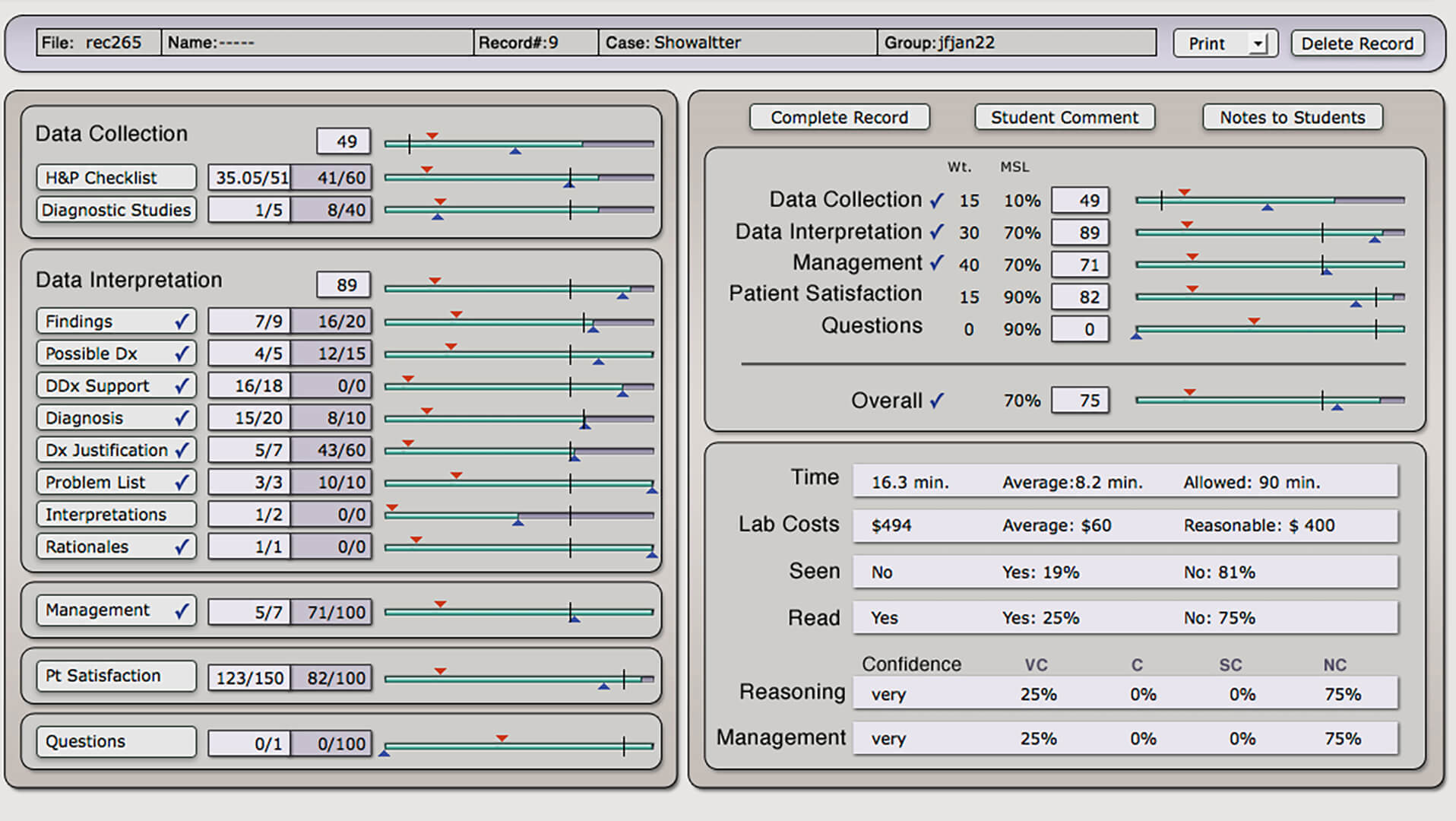
The Record Utility is an assessment/report tool that uses built-in matching and scoring functions to create a “snapshot” of overall user performance on the simulated clinical encounter and allows faculty to review and analyze student performance. Scoring data include a detailed breakdown of performance on specific case content and a comparison of individual performance with group performance. CCX scoring tools allow you to include SP or observer feedback in student scoring results.
Expand the Data set
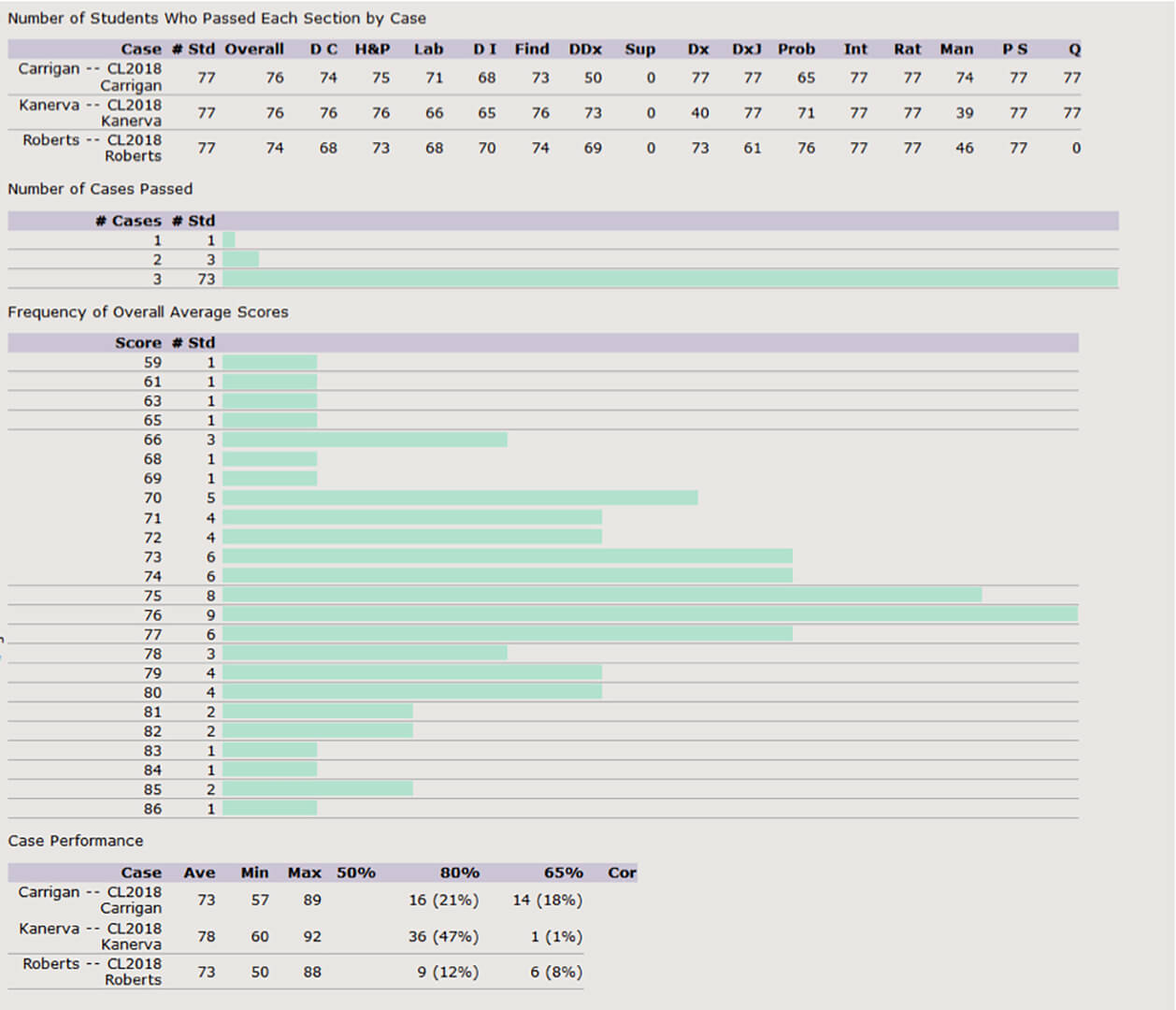
The Multi-Case Performance Utility allows instructors and performance-based committees to track student performance across a wide range of CCX case encounters. Drill down in the user performance data to identify strengths and weaknesses in the trainees’ clinical reasoning skills.
Track performance over time!
The CCX Multi-case Performance is perfect for tracking student progress over many cases and from year-to-year. You can even leverage your institution’s data for use in longitudinal studies
Play Video
Video Demonstration
Testimonial
“CCX software is an excellent tool for assessing students’ clinical reasoning skills as well as clinical knowledge. We use it throughout the first 3 years of our curriculum to assess the maturation of students’ clinical reasoning skills. While multiple-choice questions do serve a role in assessing student progress throughout medical school, I think the Clinical Competency Exam is superior in assessing the ability of students to manage their future patients.”
– Cris Anderson MD, Year 1 Doctoring Director SIU School of Medicine, Carbondale campus
This website uses cookies to improve your experience while you navigate through the website. Out of these, the cookies that are categorized as necessary are stored on your browser as they are essential for the working of basic functionalities of the website. We also use third-party cookies that help us analyze and understand how you use this website. These cookies will be stored in your browser only with your consent. You also have the option to opt-out of these cookies. But opting out of some of these cookies may affect your browsing experience.
Necessary cookies are absolutely essential for the website to function properly. This category only includes cookies that ensures basic functionalities and security features of the website. These cookies do not store any personal information.
Any cookies that may not be particularly necessary for the website to function and is used specifically to collect user personal data via analytics, ads, other embedded contents are termed as non-necessary cookies. It is mandatory to procure user consent prior to running these cookies on your website.